How to Create a High-Converting Capture Page for Free in 5 Minutes
Let’s be real for a second: most of what you’ve been told about "landing page optimization" is absolute garbage. You’ve seen the influencers flashing their $5,000 custom builds and telling you that you need a complex, multi-layered funnel to see a single dime. They want you to believe it takes weeks of coding and a degree in color psychology to get someone to give you their email address.
That is a lie.
It’s an influencer fantasy designed to keep you spinning your wheels while you pay for expensive consultants. The truth is much colder: people have the attention span of a goldfish. If your page takes more than five minutes to build, you’re probably overthinking the wrong things. At Daily-Ads, we’ve seen thousands of campaigns, and the data is clear, simplicity wins. High-converting capture pages are about one thing: the offer. Everything else is just noise.
In this guide, I’m going to strip away the fluff and show you how to build a high-converting capture and bridge page using the Daily-Ads suite without spending a penny or wasting your afternoon. If you’re looking for a "magic button" that does the work for you, close this tab. But if you’re ready for a reality-backed execution blueprint, let’s get to work.
The Reality Matrix: Why Your Current Page is Failing
Before we touch the Daily-Ads drag-and-drop tool, we need to address why 95% of capture pages fail. It isn't because the button is blue instead of green. It’s because you’re committing one of these three sins:
- Analysis Paralysis: You’re spending three days picking a font.
- Low-Value Friction: You’re asking for a name, phone number, address, and their mother's maiden name.
- The "Vague-Book" Headline: You’re promising to "help people grow" instead of "showing how to make $500 in 48 hours."
The market is saturated with low-value time-wasters. To cut through, your capture page needs to be a "Yes/No" proposition that takes less than 3 seconds to understand.

Phase 1: The 5-Minute Execution Blueprint
To build a page in five minutes, you cannot start from a blank canvas. That is a recipe for disaster. Professional marketers use templates because they are reverse-engineered from what already works.
Step 1: Log In and Select Your Foundation
Head over to the Daily-Ads login and navigate to the page builder. You’ll see a library of templates. Don’t look for the "prettiest" one. Look for the one with the fewest distractions. A high-converting capture page needs:
- A punchy headline.
- 3-5 bullet points of "The Truth."
- One input field (Email).
- One high-contrast button.
Step 2: The Headline (The Only Part That Actually Matters)
Stop trying to be clever. Clever doesn't pay the bills. Directness does. Your headline should follow this formula: [Desired Result] without [Common Pain Point] in [Timeframe].
- Bad: "A New Way to Market Your Business."
- Good: "Get 10 New Leads Daily Without Cold Calling in 5 Minutes a Day."
Step 3: Use the Daily-Ads Drag-and-Drop Tool
Our tool is built for speed, not for "designers" who want to play with CSS for six hours.
- Drag the headline element to the top.
- Drop a lead capture form underneath.
- Remove the header, the footer, and any social media icons. If there is a link on your page that isn't the "Submit" button, you are bleeding money.
Step 4: The Bridge Page Pivot
This is where most "free" tutorials fail you. They tell you to send people straight to the offer after they opt-in. Don't do that. That’s a one-way ticket to a 0.5% conversion rate.
You need a Bridge Page. This is a simple page that appears after they give you their email but before they see the final product. It "bridges" the gap between the lead's problem and your solution. It should contain a short video or 300 words of "tough love" explaining why they need what you’re offering.
The Hidden Costs of "Easy" Shortcuts
While the Daily-Ads tool is free to use for members, the real "cost" is your discipline. Most people quit here because the page looks "too simple." They want it to look like a corporate McKinsey report.
Reality Check: The highest-converting pages in the history of direct response marketing often look like they were made in 1998. Why? Because they focus on the message, not the "shiny objects." If you find yourself adding animations or background videos, stop. You are procrastinating on the hard work of crafting a compelling offer.
Reverse-Engineering the Numbers (Data-Backed Realism)
Let's look at the math. Stop guessing and start calculating.
If you drive 1,000 visitors to a "pretty" but slow page, you might get a 5% opt-in rate. That’s 50 leads.
If you drive 1,000 visitors to a lightning-fast, high-contrast Daily-Ads capture page, you should aim for 20-30%. That’s 200-300 leads.
The Financial Breakdown:
- Traffic Cost: $500 (Assume $0.50 CPC)
- 5% Opt-in: $10.00 per lead.
- 25% Opt-in: $2.00 per lead.
By spending 5 minutes on a high-converting structure rather than 5 hours on a custom design, you’ve just made your marketing 5x more efficient. This isn't luck; it’s logic.

Tiered Progression: From Entry-Level to Advanced Scaling
Don't try to run before you can walk. Follow this hierarchy of execution:
Tier 1: The Basic Capture (Days 1-7)
Focus solely on the opt-in. Use a standard template. Don't change the colors. Use the default Daily-Ads settings. Your goal is to see if your headline resonates with the market. If you don't get at least a 15% opt-in rate, your headline is the problem, not the tool.
Tier 2: The Integrated Flow (Days 8-30)
Connect your capture page to a Daily-Ads Email Series. A capture page is useless if you don't follow up. The "messy middle" of marketing is the follow-up. Most people quit after the first email. The pros send ten.
Tier 3: Optimization and A/B Testing (Days 31-90)
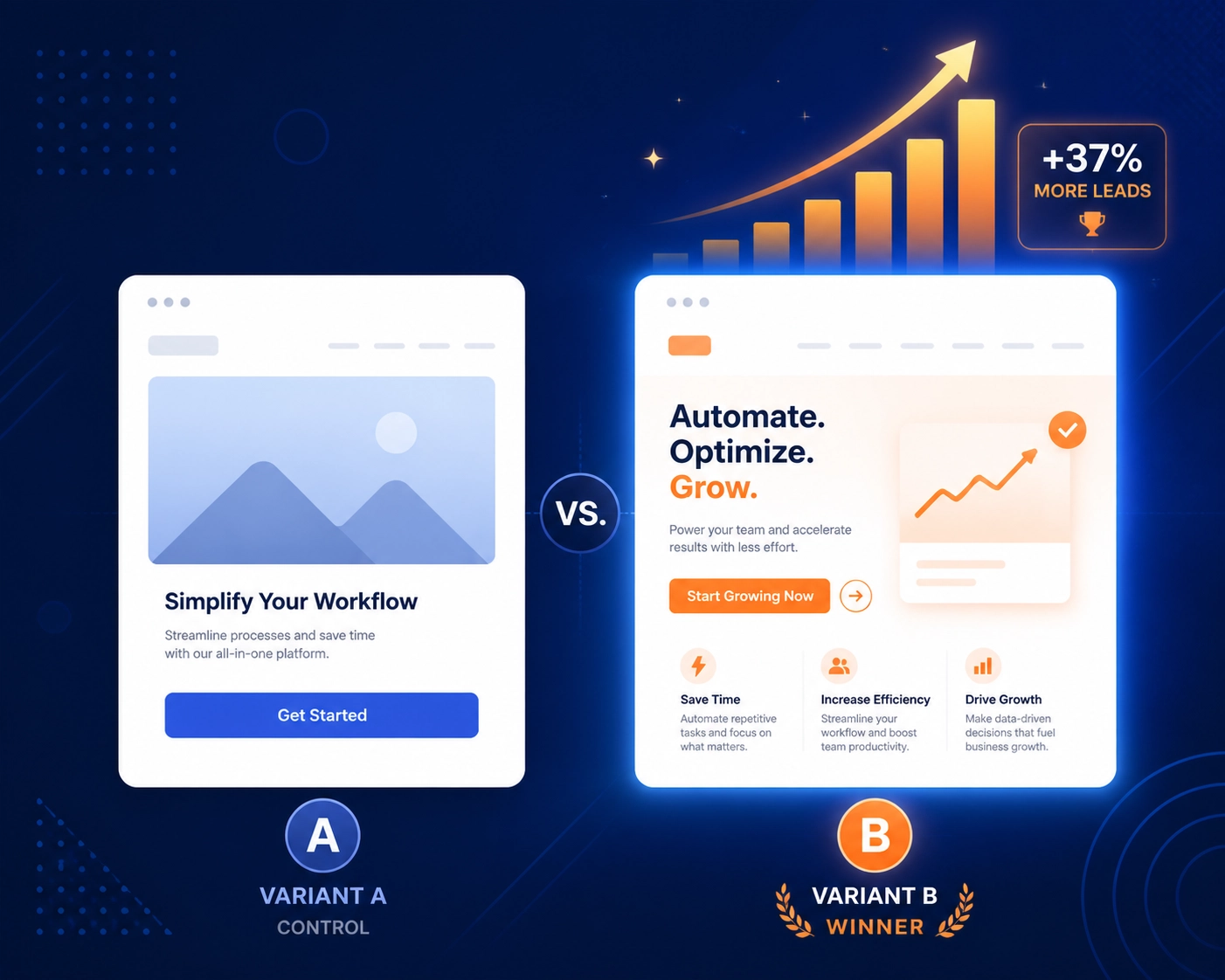
Once you have data, you can start tweaking. Test two different headlines. Test a video bridge page vs. a text bridge page. Use the platform stats to see where people are dropping off.
Stop Spinning Your Wheels: Common Pitfalls Exposed
If you’ve been trying to build a "funnel" for months and haven't made a sale, here is the unfiltered truth:
- Your offer is weak: No amount of "high-converting" design can save a product nobody wants.
- You're hiding: You're using "building the page" as an excuse to avoid actually talking to customers or buying traffic.
- You're listening to the wrong people: If your mentor hasn't shown you their actual conversion backend in the last 30 days, they are selling you a dream, not a system.
At Daily-Ads, we don't care about "personal passion" or "finding your vibe." We care about ROI. We provide the features you need, like Daily-Cast and Daily-Flow, to ensure that once you capture a lead, you actually do something with it.
The 90-Day Execution Window
I’m giving you a command: Close the "how-to" videos and go build.
- Today: Log in to Daily-Ads. Pick a template. Write one headline. Publish it.
- This Week: Send 100 clicks to that page. Don't worry about the "perfect" audience. Just get eyes on it.
- Next 90 Days: Commit to checking your stats daily. If the numbers suck, change the words, not the layout.
The difference between "legitimate professional services" and "low-value time-wasters" is the willingness to look at the cold, hard data and iterate. The Daily-Ads suite is designed to take the "technical" excuse off the table. If you don't have a capture page live by the end of the day, you aren't a marketer: you're a spectator.
Stop being a spectator. The tools are free, the templates are ready, and the market is waiting. Execute.
Need help or found a bug? Check our Helpdesk or reach out via Contact.